
CMDR Joystick 25
RC(ELRS)/USB Joystick with 2 hall effect gimbals, 2 hat switches and 25 buttons for use both with PC simulators and ELRS Rx equipped quads.
Layout
USB Joystick Layer 0
--------------------------------------------------------------
| FnL |  B1 |               | B21 |              | B5  | FnR |
--------------------------------------------------------------
|     |  B2 |  B3 | MoL |            | MoR | B7  | B6  |     |
|                                                            |
|                 | B4  |            | B8  |                 |
|                 | B17 |            | B18 |                 |
|      Z/RZ                                        X/Y       |
|                 | H1U |            | H2U |                 |
|           | H1L | H1B | H1R || H2L | H2B | H2R |           |
|                 | H1D |            | H2D |                 |
--------------------------------------------------------------

USB Joystick Layer 1 (FnL)
--------------------------------------------------------------
| FnL |  B9 |              | B21 |               | B5  | FnR |
--------------------------------------------------------------
|     | B10 | B11 | MoL |            | MoR | B7  | B6  |     |
|                                                            |
|                 | B12 |            | B8  |                 |
|                 | B19 |            | B18 |                 |
|      Z/RZ                                        X/Y       |
|                 | H3U |            | H2U |                 |
|           | H3L | H3B | H3R || H2L | H2B | H2R |           |
|                 | H3D |            | H2D |                 |
--------------------------------------------------------------

USB Joystick Layer 2 (FnR)
--------------------------------------------------------------
| FnL |  B1 |              | B21 |               | B13 | FnR |
--------------------------------------------------------------
|     |  B2 |  B3 | MoL |            | MoR | B15 | B14 |     |
|                                                            |
|                 | B4  |            | B16 |                 |
|                 | B17 |            | B20 |                 |
|      Z/RZ                                    X(RX)/Y(RY)   |
|                 | H1U |            | H4U |                 |
|           | H1L | H1B | H1R || H4L | H4B | H4R |           |
|                 | H1D |            | H4D |                 |
--------------------------------------------------------------

USB Joystick Layer 3 (FnL + FnR)
--------------------------------------------------------------
| FnL |  B9 |              | B21 |               | B13 | FnR |
--------------------------------------------------------------
|     | B10 | B11 | MoL |            | MoR | B15 | B14 |     |
|                                                            |
|                 | B12 |            | B16 |                 |
|                 | B19 |            | B20 |                 |
|      Z/RZ                                    X(RX)/Y(RY)   |
|                 | H3U |            | H4U |                 |
|           | H3L | H3B | H3R || H4L | H4B | H4R |           |
|                 | H3D |            | H4D |                 |
--------------------------------------------------------------

ELRS Layer
--------------------------------------------------------------
| CH7 OFF | CH7 ON |       |  --  |        | CH8 ON | CH8 OFF|
--------------------------------------------------------------
| | CH9 ON  | CH9 OFF  | CH5 |  | CH6 | CH10 OFF  | CH10 ON  |
|                                                            |
|               |  CH11 ON  |    |  CH12 ON  |               |
|               |  CH11 OFF  |  |  CH12 OFF  |               |
|  X(CH1)/Y(CH2)                              X(CH3)/Y(CH4)  |
|                 | LTU |            | RTU |                 |
|           | LTL | LTC | LTR || RTL | RTC | RTR |           |
|                 | LTD |            | RTD |                 |
--------------------------------------------------------------

Config Layer
--------------------------------------------------------------
| BOOT | CAL |           |  CONFIG  |           | USB | ELRS |
--------------------------------------------------------------
| | -- | -- | -- |                          | -- | -- | -- | |
|                                                            |
|                 | --- |            | --- |                 |
|                 | --- |            | --- |                 |
|  X(CH1)/Y(CH2)                              X(CH3)/Y(CH4)  |
|                 | --- |            | --- |                 |
|           | --- | --- | --- || --- | --- | --- |           |
|                 | --- |            | --- |                 |
--------------------------------------------------------------
Features
- Ergonomic design (low profile)
- Hall effect gimbals
- Supports both USB HID joystick and ELRS Tx
- Total 6x axis, 4x hat switches and 25x buttons (using Fn mode) implemented in USB HID mode
- 12 Channels implemented in ELRS mode (4x axis, 8x buttons)
Hardware
-
2x FrSky M7 or M10 gimbals M7 datasheet
-
6x Kailh choc low profile switches Brown
-
6x Cherry MX switches Brown
-
2x Miniature Toggle Switch (M6 shaft, 7-8mm wide body. Ex Apem 5636) Apem 5000 series
-
2x Alpine RKJXM1015004 hat switches pdf
-
1x Bottom case (3D printed)
-
1x Top plate (3D printed)
-
2x Hat swith top (3D printed) stl
-
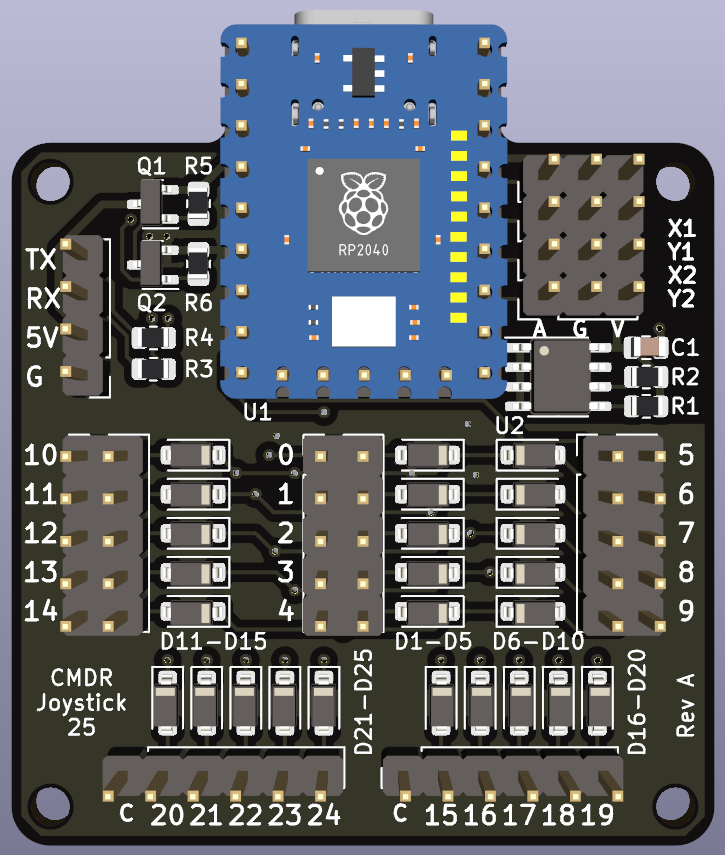
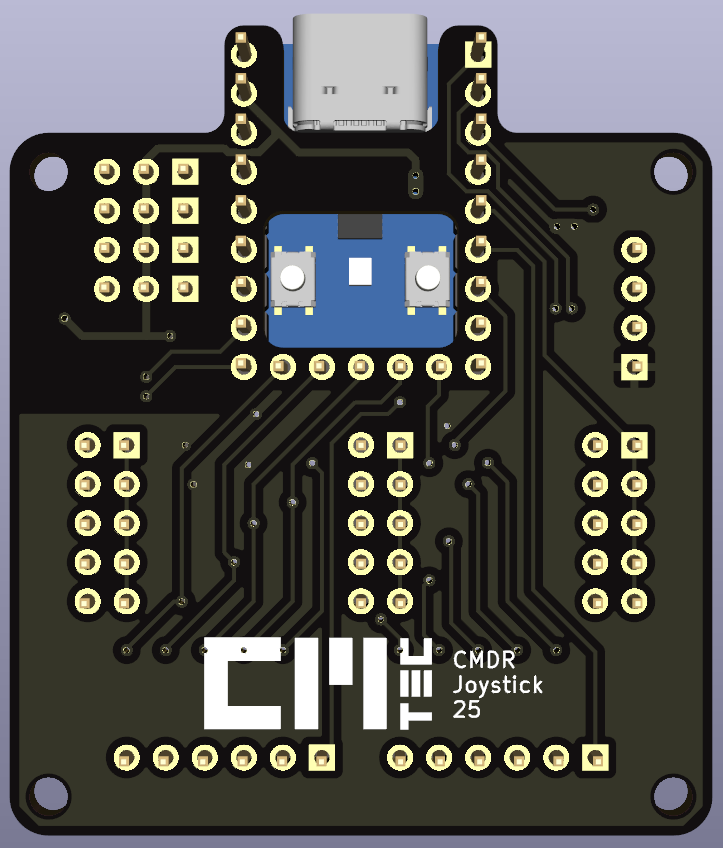
1x Custom PCB (CMDR Joystick 25 rev A)
-
1x ELRS TX (using a EP1 TCXO Dual receiver reprogrammed as a tramsmitter)
- Link to EP1
- Reprogramming instructions (using ExpressLRS Configurator):
- Select latest release
- Device category = Generic target used as base 2.4Ghz
- Device = Generic ESP32 2.4GHz Gemini TX
- Flash to device
- Use following custom settings in 10.0.0.1/hardware.html:
{"customised":"true","serial_rx":3,"serial_tx":1,"radio_busy":36,"radio_dio1":37,"radio_miso":33,"radio_mosi":32,"radio_nss":27,"radio_rst":26,"radio_sck":25,"radio_busy_2":39,"radio_dio1_2":34,"radio_nss_2":13,"power_rxen":10,"power_txen":14,"power_rxen_2":9,"power_txen_2":15,"power_min":0,"power_high":2,"power_max":2,"power_default":0,"power_control":0,"power_values":[-10,-6,-3],"button":0,"led_rgb":22,"led_rgb_isgrb":true,"screen_type":0}

Software Build environment
Rust
- Cargo (rust embedded)
- Flashing via Cargo
- Press and hold boot button on rp2040zero board while perform a reset
- Press and hold CONF and press BOOT button.
References
Calibration
- Center both gimbals.
- Press and hold CONF button and press CAL botton. Status led will start blinking green.
- Move both gimbals to all corners.
- Press right hat switch to save calibration data to eeprom.